Docusaurus Hosting Feature Overview
| Provider | Starting Price | Storage (GB) | CPU (Cores) | RAM (GB) | |
|---|---|---|---|---|---|
![]() | $2.99 | 50-400 | 1-8 | 4-32 | Visit Hostinger |
![]() | $1.00 | 10-640 | 1-12 | 1-24 | Visit IONOS |
![]() | $1.49 | 15-40 | 2-6 | 2-6 | Visit HostArmada |
![]() | $4.00 | 20-4000 | 1-32 | 1-128 | Visit Kamatera |
![]() | $0.59 | 30-100 | N/A | N/A | Visit Verpex Hosting |
![]() | $4.00 | 30-50 | 1-2 | 1-4 | Visit VPSServer.com |
![]() | $3.79 | 10-100 | N/A | N/A | Visit Bluehost |
![]() | $1.48 | 20-Unmetered | NA | NA | Visit Namecheap |
![]() | $5.99 | 10-75 | NA | NA | Visit GoDaddy |
![]() | $3.96 | 75-350 | 4-18 | 8-96 | Visit Contabo |

What is Docusaurus Hosting?
Docusaurus hosting refers to web hosting services optimized for deploying and serving sites built with the Docusaurus framework. Docusaurus is a static site generator primarily used for documentation websites. It uses React and Markdown to help developers create documentation quickly and efficiently. Hosting providers that support Docusaurus often offer features like static file delivery, custom domain setup, fast content delivery networks (CDNs), Git-based deployment, and integration with continuous deployment pipelines. Whether you’re running documentation for an open-source library or internal tools, Docusaurus hosting ensures the site remains fast, secure, and easy to manage.
When to Choose and When to Avoid Docusaurus Hosting
Reasons to Use Docusaurus Hosting | Reasons Not to Use Docusaurus Hosting |
| You’re building a documentation site using Markdown and React. | You need a dynamic site with server-side processing or database use. |
| Your documentation content is static and doesn’t change with user input. | You require a CMS-driven site with frequent content edits by non-technical users. |
| You want a fast, secure, and lightweight documentation website. | You prefer drag-and-drop website builders without coding. |
| You’re integrating documentation with a Git-based workflow (e.g., GitHub Actions). | Your project is not suited to static site generation (e.g., e-commerce or forums). |
| You want to deploy from GitHub or GitLab with continuous deployment. | You lack experience using Markdown or configuring deployment pipelines. |
Alternatives to Docusaurus Hosting
If Docusaurus hosting is not relevant to your needs, consider these alternatives:
- Content Management Systems (CMS): Ideal for teams that need WYSIWYG editors and database-driven content. Options include WordPress, Joomla, or Drupal.
- Wiki Hosting: Tools like MediaWiki or Confluence are better suited for collaborative knowledge bases.
- Headless CMS + Static Site Generator: Combine systems like Strapi with Gatsby or Next.js for more complex content models.
- Website Builders: Tools like Wix, Squarespace, or Webflow are great for non-technical users needing design flexibility.
- Full-Stack Hosting (e.g., Node.js or Laravel): Best for dynamic applications or platforms requiring user interaction.
How To Choose the Best Docusaurus Hosting
- Look for Static Hosting Support: Ensure the provider supports static site delivery with CDN acceleration.
- Check Git Integration: Choose a host that integrates with Git repositories for automated deployment.
- Consider Build Tools: Opt for providers that support CI/CD pipelines (e.g., GitHub Actions, GitLab CI).
- Evaluate Custom Domain and HTTPS: Confirm that you can easily set up custom domains with SSL.
- Assess Performance and Pricing: Match your traffic expectations with bandwidth and caching features offered at a fair price.
10 Best Docusaurus Hosting in June 2026
-
Best Overall Hosting 2026
-
Users Top Choice 2026
-
Most Recommended NodeJS 2026
-
Best AI App Builder 2026
-
Top 5 Europe Web Hosting 2026

Hostinger has affordable hosting services well-suited for lightweight static sites and documentation platforms like Docusaurus. With a global network of data centers, it ensures fast load times and solid uptime. Hostinger supports Node.js via VPS and cloud plans, which can be configured to host Docusaurus projects effectively.
Rating Based on Expert Review:
- Overall Score: 4.7
- Features: 4.7
- Reliability: 4.6
- User-Friendly: 4.8
- Support: 4.7
- Pricing: 4.9
Detailed Analysis:
Features: Hostinger provides Git integration, SSH access, and the ability to install Node.js environments via VPS or cloud hosting. You can also take advantage of SSD storage, automatic backups, and custom scripts for deploying static sites.
Reliability: The platform maintains a consistent uptime above 99.9%, and users benefit from Cloudflare DNS protection, redundant power, and hardware infrastructure that minimizes disruption.
User-Friendly: Hostinger’s hPanel is clean and easy to navigate. Setting up a Node.js environment requires minimal steps. One-click script templates and helpful documentation speed up deployment.
Support: Support is available 24/7 through live chat and a ticketing system. The knowledge base is good and includes relevant guides.
Pricing: Shared hosting starts under $3/month, but for Node.js support, VPS plans begin around $5.99/month. These are cost-effective for individual developers or small teams hosting static docs.
Pros and Cons:
- Affordable VPS options that support Node.js
- Easy-to-use control panel
- Solid uptime with good performance
- Helpful setup documentation for Docusaurus deployment
- Node.js requires VPS or Cloud plan (not supported on shared hosting)
- No managed Node.js environment
-
Best Value for Money 2026
-
Editor's Choice 2026
-
Most Recommened PHP Hosting 2026
-
Top 5 UK Web Hosting 2026
-
Top 5 Europe Web Hosting 2026

IONOS provides a stable cloud and VPS environment suitable for Docusaurus hosting, making it ideal for developers, technical writers, and organizations that need fast, documentation-focused websites. Its infrastructure supports Node.js builds and static site deployments, which align well with Docusaurus-generated documentation portals and knowledge bases.
Rating Overview
- Overall Score: 4.6
- Performance: 4.7
- Support: 4.7
- Security: 4.7
- Pricing: 4.5
- Ease of Use: 4.7
Detailed Analysis
Performance: IONOS delivers stable performance for Docusaurus sites, ensuring fast static builds and smooth content delivery for documentation-heavy platforms.
Support: Strong support assists with VPS setup, Node.js configuration, and deployment of static documentation sites.
Security: Includes SSL, firewall protection, and isolated environments suitable for secure documentation hosting.
Pricing: Mid-range pricing with good value for managed cloud infrastructure.
Ease of Use: Beginner-friendly control panel simplifies deployment of static documentation sites.
Pros and Cons
- Stable performance for documentation sites
- Easy deployment options
- Strong security features
- Reliable infrastructure
- Beginner-friendly interface
- Not Docusaurus-specific tools
- Limited advanced automation features
- Slightly higher pricing
-
Best Web Hosting 2026
-
Top 5 Europe Web Hosting 2026
-
Top 5 Germany Web Hosting 2026
-
Top 10 Reseller Hosting 2026
-
Top 5 USA Web Hosting 2025

HostArmada is a developer-oriented hosting platform that offers excellent compatibility with custom JavaScript frameworks, including Docusaurus. It provides managed cloud SSD hosting with secure environments and support for custom stacks.
Rating Overview:
- Overall Score: 4.8
- Features: 4.8
- Reliability: 4.9
- User-Friendly: 4.8
- Support: 4.8
- Pricing: 4.7
Detailed Analysis:
Features: HostArmada offers full SSH access, Node.js support on VPS plans, free domain registration, SSD storage, and server-level caching. Advanced users can deploy Docusaurus easily with Git integration and script automation.
Reliability: With container-based isolation and cloud infrastructure, HostArmada delivers strong uptime and consistent performance. Daily backups and account isolation contribute to stability.
User-Friendly: Despite targeting technical users, HostArmada’s interface is well laid out. Developers can manage projects through cPanel or via command-line for advanced control.
Support: The support team is available 24/7 and offers specialized help for custom application setup. You can reach them via chat or ticket, and they respond quickly with useful technical guidance.
Pricing: Shared hosting starts low, but Docusaurus needs a VPS plan or higher, which begins at around $29.95/month. This includes backups, SSL, and real-time monitoring.
Pros and Cons:
- Strong Node.js support on VPS and higher plans
- Solid uptime and secure hosting environment
- Developer-friendly tools like SSH and Git
- Great customer service with technical depth
- Higher cost if opting for VPS
- Requires some setup knowledge for custom stacks
-
Best VPS Hosting 2026
-
Top 5 Europe Web Hosting 2026
-
Top 5 Australia Web Hosting 2026
-
Top 10 Best Gaming Hosting Provider 2026
-
Top 10 Reseller Hosting 2026

Kamatera provides a powerful cloud VPS environment ideal for Docusaurus hosting, especially for developers and teams that require full control over build pipelines, Git-based deployment workflows, and scalable documentation systems.
Rating Overview
- Overall Score: 4.7
- Performance: 4.9
- Support: 4.6
- Security: 4.8
- Pricing: 4.5
- Ease of Use: 4.4
Detailed Analysis
Performance: Excellent performance for Docusaurus builds, enabling fast static site generation and global content delivery.
Support: Technical support is strong but best suited for experienced developers managing cloud infrastructure.
Security: Enterprise-grade security including private networking, firewall controls, and access management.
Pricing: Flexible usage-based pricing suitable for scalable documentation platforms.
Ease of Use: Requires technical knowledge for setup and CI/CD configuration.
Pros and Cons
- Excellent global performance
- Full deployment control
- Highly scalable infrastructure
- Strong security features
- Ideal for CI/CD workflows
- Not beginner-friendly
- Requires DevOps knowledge
- Can become costly at scale
-
Best Reseller Hosting Provider 2026
-
Top 5 Australia Web Hosting 2026
-
Top 5 UK Web Hosting 2026
-
Top 10 Windows Hosting 2026
-
Top 10 VPS Hosting 2026

Verpex Hosting specializes in fully managed cloud and web hosting, and its higher-tier plans support frameworks like Docusaurus. It takes care of server maintenance, so you can focus on development.
Rating Overview:
- Overall Score: 4.8
- Features: 4.8
- Reliability: 4.9
- User-Friendly: 4.8
- Support: 4.8
- Pricing: 4.7
Detailed Analysis:
Features: Verpex offers free SSL, automatic daily backups, full root access (on cloud VPS), and Git integration. You can install and run Docusaurus using the managed Node.js stack.
Reliability: With servers in 12 global locations and redundant systems, Verpex ensures 99.99% uptime. Performance monitoring and proactive maintenance are standard.
User-Friendly: The dashboard is clean, and the managed setup means less configuration. Perfect for teams who want to skip server management.
Support: Support is fast and available 24/7. The technical team can help configure Node.js apps and troubleshoot deployment steps for Docusaurus.
Pricing: Shared hosting starts around $5/month, but managed cloud VPS plans with full control begin at around $25/month.
Pros and Cons:
Pros- Fully managed environment
- Fast global performance
- Great support for developers
- Git and Node.js compatible
Cons- Lower plans don’t support Node.js
- Pricing rises if scaling is needed
- Fully managed environment
- Fast global performance
- Great support for developers
- Git and Node.js compatible
- Lower plans don’t support Node.js
- Pricing rises if scaling is needed

VPSServer.com provides a scalable VPS platform suitable for Docusaurus hosting, making it a strong option for developers who want full control over Node.js environments, build tools, and static site deployment workflows.
Rating Overview
- Overall Score: 4.6
- Performance: 4.8
- Support: 4.5
- Security: 4.6
- Pricing: 4.5
- Ease of Use: 4.3
Detailed Analysis
Performance: Strong VPS performance ensures fast Docusaurus builds and reliable static site delivery.
Support: Infrastructure-level support suitable for experienced users managing servers.
Security: Full root access allows custom security configurations for documentation platforms.
Pricing: Competitive VPS pricing for scalable documentation hosting.
Ease of Use: Requires manual setup and technical expertise.
Pros and Cons
- Strong VPS performance
- Full control over environment
- Scalable infrastructure
- Reliable uptime
- Flexible configuration
- Not beginner-friendly
- Requires technical knowledge
- No managed Docusaurus tools
-
Top 10 WordPress Hosting 2026
-
Top 10 Website Builder 2026
-
Over 99% Uptime 2023
-
Top 25 WordPress Hosting 2023

Bluehost offers a managed hosting environment suitable for Docusaurus hosting, especially for beginners or small teams who want simple deployment of documentation websites without managing server complexity.
Rating Overview
- Overall Score: 4.4
- Performance: 4.4
- Support: 4.6
- Security: 4.5
- Pricing: 4.4
- Ease of Use: 4.8
Detailed Analysis
Performance: Stable performance for small to medium Docusaurus documentation sites.
Support: Beginner-friendly support helps with setup and deployment.
Security: Standard hosting security including SSL and firewall protection.
Pricing: Moderate pricing with managed convenience.
Ease of Use: Very easy interface for beginners.
Pros and Cons
- Easy documentation site setup
- Beginner-friendly platform
- Stable performance
- Managed hosting environment
- Good support
- Not optimized for advanced CI/CD
- Limited developer flexibility
- Not enterprise-focused
-
Best Domain Registrar Provider 2026
-
Top 5 UK Web Hosting 2026
-
Great Support 2026
-
Excellent Service 2026
-
Over 99% Uptime 2026

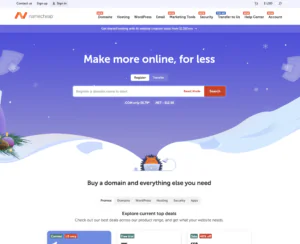
Namecheap provides affordable hosting and VPS options suitable for Docusaurus hosting, making it a good choice for developers, students, and small teams building documentation sites on a budget.
Rating Overview
- Overall Score: 4.5
- Performance: 4.5
- Support: 4.5
- Security: 4.6
- Pricing: 4.8
- Ease of Use: 4.6
Detailed Analysis
Performance: Good performance for lightweight Docusaurus sites with fast static delivery.
Support: General support suitable for basic setup and troubleshooting.
Security: Standard security features including SSL and firewall options.
Pricing: Very affordable hosting plans ideal for documentation projects.
Ease of Use: Simple interface suitable for beginners.
Pros and Cons
- Very budget-friendly hosting
- Good for small documentation sites
- Easy to use
- Flexible VPS options
- Stable basic performance
- Not for large enterprise docs
- Limited CI/CD tools
- Basic infrastructure features
-
Top 10 Windows Hosting 2022
-
Top Dedicated Hosting 2023

GoDaddy provides managed hosting suitable for Docusaurus hosting, especially for beginners who want fast deployment of documentation websites without technical complexity.
Rating Overview
- Overall Score: 4.4
- Performance: 4.4
- Support: 4.6
- Security: 4.5
- Pricing: 4.4
- Ease of Use: 4.8
Detailed Analysis
Performance: Stable hosting for small Docusaurus documentation sites.
Support: Strong beginner support for setup and maintenance.
Security: Standard security features including SSL and firewall protection.
Pricing: Mid-range pricing with managed services.
Ease of Use: Very beginner-friendly interface.
Pros and Cons
- Easy documentation hosting setup
- Good beginner support
- Stable performance
- Managed environment
- Simple interface
- Not developer-focused
- Limited CI/CD flexibility
- Higher cost than budget VPS
-
Top 5 Germany Web Hosting 2026
-
Top 10 VPS Hosting 2026
-
Top 10 Cloud Hosting 2026
-
Top 10 Dedicated Hosting 2026
-
Excellent Service 2026

Contabo provides high-resource VPS hosting suitable for Docusaurus hosting, especially for large documentation sites, multi-project builds, or teams needing strong server resources for CI/CD pipelines and static site generation.
Rating Overview
- Overall Score: 4.6
- Performance: 4.7
- Support: 4.3
- Security: 4.5
- Pricing: 4.9
- Ease of Use: 4.2
Detailed Analysis
Performance: Excellent resource allocation ensures fast builds and stable hosting for large Docusaurus documentation systems.
Support: Basic support suitable for technical users managing their own deployments.
Security: Standard VPS security with full root control for customization.
Pricing: Extremely cost-effective for high-resource hosting.
Ease of Use: Requires technical expertise for setup and automation.
Pros and Cons
- Very high resource capacity
- Excellent pricing value
- Great for large documentation sites
- Strong scalability
- Reliable infrastructure
- Not beginner-friendly
- Requires DevOps knowledge
- No managed Docusaurus tools
Why Trust Our Recommendations
At HostAdvice, we combine hands-on testing with real-world feedback to recommend the best hosting solutions. Our team carefully evaluates each provider’s performance, reliability, and ease of use specifically for Docusaurus projects. We prioritize practical use cases, transparency, and consistency in our rankings so you can make informed decisions based on actual testing and measurable results.
How Do We Test and Rank
Our hosting recommendations are based on direct experience: we install, deploy, and monitor each Docusaurus project just like an actual user would. Our testing includes build speed, uptime, CDN performance, and integration capabilities. We also consider support responsiveness, pricing structure, and ease of configuration. Rankings are regularly updated to reflect changes in provider performance or features. Learn more about our rating methodology.
Final Recommendations
Docusaurus hosting is a solid choice for developers building documentation websites using a static site approach. It offers speed, simplicity, and seamless deployment workflows. If your needs align with static content and you work in a Git-based environment, this type of hosting is highly efficient. If not, consider other platforms better suited to your content or technical comfort level.