| Plan Name | Space | CPU | RAM | OS | Price | Score | |
|---|---|---|---|---|---|---|---|
| Free Trial | Unlimited | - | $0.00 | 5.0 | View Plan | ||

| VPS Basic | 30 GB | 1 x 2.7GHz | 1 GB | $4.80 | 4.8 | View Plan | |
| VPS Business | 50 GB | 2 x 2.7GHz | 2 GB | $8.50 | 4.8 | View Plan |
Summary of Best Free Windows VPS Service Providers
| Provider | StartingPrice | Storage (GB) | CPU (Cores) | RAM (GB) | |
|---|---|---|---|---|---|
![]() | $0.00 | 50-750 | 2-12 | 2-64 | Visit Ultahost |
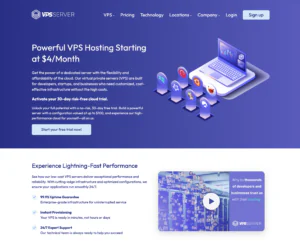
![]() | $0.00 | 20-80 | 1-4 | 1-4 | Visit VPSServer.com |
![]() | $0.00 | 20-4000 | 1-32 | 1-128 | Visit Kamatera |
![]() | $0.00 | 30-480 | 1-16 | 2-32 | Visit IONOS |
![]() | $0.00 | 40-1280 | 1-16 | 2-64 | Visit InterServer |
![]() | $0.00 | 150-400 | 3-6 | 8-18 | Visit Contabo |
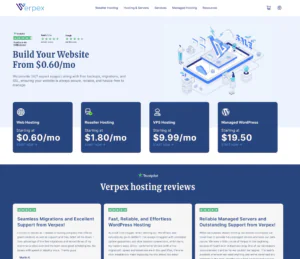
![]() | $0.00 | 80-320 | 2-8 | 4-16 | Visit Verpex Hosting |
Below is a quick overview of the top providers offering a free trial Windows VPS, so you can test features and performance before committing.
What is a Free Windows VPS?
A Free Windows VPS is a virtual private server running the Windows operating system that you can use without paying, typically through a trial or limited resource plan. It allows you to host websites, run applications, or practice server management with full administrator access.
Many hosting providers offer a free VPS Windows service for a limited period to let users test performance and features. These plans are often provided as a free trial Windows VPS and come with pre-installed Windows Server editions.
With a free VPS server for Windows, you can:
- Run Windows-based applications or websites remotely
- Practice server administration and configuration
- Test projects before moving to a paid VPS plan
The Best Free Windows VPS Hosting Services of 2026:
Read on for detailed reviews of the Windows VPS hosts listed above.
-
Best Dedicated Hosting Provider 2026
-
Best Windows Hosting Provider 2026
-
Top 5 France Web Hosting 2026
-
Top 10 Website Builder 2026
-
Top 10 Web Hosting 2026

Ultahost is known for its versatile and high-performance hosting solutions. Its free Windows VPS hosting offers a robust set of features and reliable performance, making it an excellent choice for both businesses and individual users. Ultahost’s Windows VPS hosting ensures a stable and efficient environment for running Windows-based applications and services.
Rating Based on Expert Review:
- Overall Score: 4.7
- Features: 4.8
- Reliability: 4.7
- User-Friendly: 4.7
- Support: 4.6
- Pricing: 4.9
Detailed Analysis:
Features: Ultahost’s free Windows VPS hosting includes a wide range of features designed to meet the needs of various users. These features include customizable server configurations, high-speed SSD storage, and support for multiple Windows versions. Users also benefit from advanced networking options, automated backups, and enhanced security measures to ensure a secure and efficient hosting experience.
Reliability: Ultahost guarantees a 99.9% uptime, ensuring that your Windows VPS remains accessible at all times. The service operates on Ultahost’s robust infrastructure, which includes multiple data centers worldwide. This setup provides low latency and minimal downtime, ensuring a reliable and stable environment for your applications.
User-Friendly: Ultahost’s Windows VPS hosting is designed with user-friendliness in mind. The intuitive control panel allows users to easily manage their server settings, perform backups, and monitor performance. The platform also supports seamless integration with various management tools, making it accessible even for users with limited technical expertise.
Support: Ultahost offers 24/7 customer support through live chat, email, and a comprehensive knowledge base. The support team is knowledgeable and responsive, ready to assist with any server-related issues. Users have access to tutorials, guides, and FAQs to help them make the most of their Windows VPS hosting service.
Pricing: Ultahost’s Windows VPS hosting is available for free, providing a cost-effective solution without sacrificing quality or features. Users can upgrade to premium plans for additional resources and advanced functionalities if needed. The free version offers extensive tools for effective server management, making it an attractive option for budget-conscious users.
Pros and Cons:
- Customizable server configurations
- High-speed SSD storage
- Support for multiple Windows versions
- 99.9% uptime guarantee
- Responsive 24/7 customer support
- Advanced features require a premium plan
- Initial setup may be slightly complex for beginners

VPSServers.com positions its “free” Windows VPS offer as a time-limited trial rather than a permanently free server, making it most useful for developers, small businesses, and students who need Windows Server access for short projects, proof-of-concepts, or migration testing. The trial format is practical if you want to validate remote desktop usability, application compatibility, and baseline performance before committing to a paid plan. That said, it’s not designed for long-term free hosting—expect eligibility rules, resource caps, and a transition to paid billing once the trial ends. For users who are comfortable managing a VPS and want to test Windows in a real cloud environment, it can be a strong low-risk entry point.
Rating Overview
- Overall Score: 4.3
- Performance: 4.6
- Support: 4.4
- Security: 4.4
- Pricing: 4.2
- Ease of Use: 4.1
Detailed Analysis
Performance: The trial is built on the same cloud platform as paid services, so you’re typically testing “real” performance rather than a throttled demo. Windows workloads feel responsive when you size CPU/RAM appropriately and avoid heavy background tasks. As with any VPS, results depend on configuration choices and whether your apps are storage- or CPU-bound.
Support: Support is generally helpful for provisioning, connectivity, and platform questions, which matters when you’re evaluating a Windows VPS. If you’re troubleshooting a specific Windows application or custom stack, you may need to rely on your own admin skills. It’s a better fit for users who know what to test and how to interpret results.
Security: You can implement strong security controls—firewall rules, RDP hardening, and access restrictions—without being boxed into a preset template. The responsibility is shared: you’ll need to keep Windows patched and lock down remote access properly. This flexibility is great for IT-minded users but less forgiving for beginners.
Pricing: The “free” value is strongest during the trial window, especially for short validation cycles. After the trial, Windows licensing and resource scaling can increase costs depending on the configuration. It’s best for users who plan ahead, right-size quickly, and avoid overprovisioning.
Ease of Use: Getting a Windows VPS online is straightforward, but it’s still a VPS experience—server setup, RDP security, and maintenance are on you. The platform suits technical users who want control rather than a fully managed environment. If you need one-click application hosting, it may feel more hands-on than expected.
Pros and Cons
Time-limited free Windows VPS trial is useful for testing and validation
Realistic cloud environment for RDP and application compatibility checks
Flexible server sizing for different Windows workloads
Good option for short-term projects, staging, and migrations
Strong control over firewalling and server-level security
Not a permanently free Windows VPS service
Requires Windows administration and RDP hardening knowledge
Ongoing costs can rise with licensing and resource upgrades
Bottom Line Summary:
-
Best VPS Hosting 2026
-
Top 5 Europe Web Hosting 2026
-
Top 5 Australia Web Hosting 2026
-
Top 10 Best Gaming Hosting Provider 2026
-
Top 10 Reseller Hosting 2026

Kamatera is renowned for its high-performance cloud services, and its free Windows VPS hosting is no exception. Offering exceptional scalability and flexibility, Kamatera’s Windows VPS hosting is designed to meet the diverse needs of businesses and developers. With robust features and reliable performance, Kamatera ensures an optimal environment for running Windows-based applications and services.
Rating Based on Expert Review:
- Overall Score: 4.8
- Features: 4.9
- Reliability: 4.8
- User-Friendly: 4.7
- Support: 4.8
- Pricing: 4.9
Detailed Analysis:
Features: Kamatera’s free Windows VPS hosting comes with a wealth of features that cater to both novice and experienced users. These features include customizable server configurations, high-performance SSD storage, and support for multiple Windows versions. Users can also benefit from advanced networking options, automated backups, and robust security measures, ensuring a comprehensive and secure hosting solution.
Reliability: Kamatera guarantees a 99.95% uptime, ensuring that your Windows VPS is always accessible. The service operates on Kamatera’s reliable cloud infrastructure, which includes multiple data centers worldwide. This setup ensures minimal latency and uninterrupted service, providing a stable and dependable environment for your applications.
User-Friendly: Kamatera’s Windows VPS hosting is designed to be user-friendly, with an intuitive control panel that simplifies server management. Users can easily configure their server settings, manage backups, and monitor performance. The platform also supports seamless integration with various management tools, making it accessible even for those with limited technical expertise.
Support: Kamatera provides 24/7 customer support through live chat, phone, and email. The support team is highly knowledgeable and responsive, ready to assist with any server-related issues. Additionally, Kamatera offers a comprehensive knowledge base with tutorials, guides, and FAQs to help users make the most of their Windows VPS hosting service.
Pricing: Kamatera’s Windows VPS hosting is available for free, offering a cost-effective solution without compromising on quality or features. Users can upgrade to premium plans for additional resources and advanced functionalities if needed. This pricing model ensures that users can enjoy high-quality hosting without breaking the bank.
Pros and Cons:
- Customizable server configurations
- High-performance SSD storage
- Support for multiple Windows versions
- 99.95% uptime guarantee
- Responsive 24/7 customer support
- Advanced features require a premium plan
- Initial setup may require some technical knowledge
- Marketing Paragraph:
-
Best Value for Money 2026
-
Editor's Choice 2026
-
Most Recommened PHP Hosting 2026
-
Top 5 UK Web Hosting 2026
-
Top 5 Europe Web Hosting 2026

IONOS is a leading provider of web hosting solutions, renowned for its robust infrastructure and reliable services. Its free Windows VPS hosting offers a secure and high-performance environment, ideal for businesses and individual users alike. With a focus on stability and security, IONOS ensures that your Windows-based applications run smoothly and efficiently.
Rating Based on Expert Review:
- Overall Score: 4.7
- Features: 4.8
- Reliability: 4.8
- User-Friendly: 4.7
- Support: 4.6
- Pricing: 4.9
Detailed Analysis:
Features: IONOS’s free Windows VPS hosting comes with a comprehensive set of features designed to enhance your hosting experience. These include customizable server configurations, high-performance SSD storage, and support for various Windows operating systems. Users also benefit from advanced networking options, automated backups, and strong security measures, ensuring a secure and efficient hosting environment.
Reliability: IONOS guarantees a 99.9% uptime for its Windows VPS hosting, ensuring that your server remains accessible and performs reliably. The service operates on IONOS’s state-of-the-art infrastructure, which includes multiple data centers worldwide. This ensures low latency and minimal downtime, providing a stable and dependable environment for your applications.
User-Friendly: Designed with ease of use in mind, IONOS’s Windows VPS hosting features an intuitive control panel that simplifies server management. Users can easily configure their server settings, manage backups, and monitor performance. The platform supports seamless integration with various management tools, making it accessible even for those with limited technical knowledge.
Support: IONOS provides 24/7 customer support through live chat, phone, and a comprehensive knowledge base. The support team is knowledgeable and responsive, ready to assist with any server-related issues. Users have access to tutorials, guides, and FAQs to help them make the most of their Windows VPS hosting service.
Pricing: IONOS’s Windows VPS hosting is available for free, offering a cost-effective solution without compromising on quality or features. Users can upgrade to premium plans for additional resources and advanced functionalities if needed. The free version provides extensive tools for effective server management, making it an attractive option for budget-conscious users.
Pros and Cons:
- Customizable server configurations
- High-performance SSD storage
- Support for multiple Windows operating systems
- 99.9% uptime guarantee
- Comprehensive 24/7 customer support
- Advanced features require a premium plan
- Initial setup may be slightly complex for beginners
-
Best Linux Hosting Provider 2026
-
Top 5 USA Web Hosting 2026
-
Top 10 Reseller Hosting 2026
-
Top 10 Windows Hosting 2026
-
Great Support 2026

InterServer is a trusted name in the hosting industry, known for its affordable and high-quality services. Its free Windows VPS hosting offers a reliable and feature-rich solution for businesses and individual users. InterServer ensures a smooth and efficient hosting experience, making it a top choice for running Windows-based applications.
Rating Based on Expert Review:
- Overall Score: 4.7
- Features: 4.8
- Reliability: 4.7
- User-Friendly: 4.7
- Support: 4.6
- Pricing: 4.9
Detailed Analysis:
Features: InterServer’s free Windows VPS hosting includes a variety of features to meet diverse user needs. These features include customizable server configurations, high-performance SSD storage, and support for multiple Windows versions. Users also benefit from robust security measures, automated backups, and advanced networking options, providing a secure and efficient hosting environment.
Reliability: InterServer guarantees a 99.9% uptime, ensuring that your Windows VPS remains accessible and performs reliably. The service operates on InterServer’s robust infrastructure, which includes multiple data centers worldwide. This ensures low latency and minimal downtime, providing a stable and dependable environment for your applications.
User-Friendly: Designed with user-friendliness in mind, InterServer’s Windows VPS hosting features an intuitive control panel that simplifies server management. Users can easily configure their server settings, manage backups, and monitor performance. The platform supports seamless integration with various management tools, making it accessible even for users with limited technical expertise.
Support: InterServer offers 24/7 customer support through live chat, phone, and a comprehensive knowledge base. The support team is knowledgeable and responsive, ready to assist with any server-related issues. Users have access to tutorials, guides, and FAQs to help them make the most of their Windows VPS hosting service.
Pricing: InterServer’s Windows VPS hosting is available for free, offering a cost-effective solution without compromising on quality or features. Users can upgrade to premium plans for additional resources and advanced functionalities if needed. The free version provides extensive tools for effective server management, making it an attractive option for budget-conscious users.
Pros and Cons:
- Customizable server configurations
- High-performance SSD storage
- Support for multiple Windows versions
- 99.9% uptime guarantee
- Responsive 24/7 customer support
- Advanced features require a premium plan
- Initial setup may require some technical knowledge
-
Top 5 Germany Web Hosting 2026
-
Top 10 VPS Hosting 2026
-
Top 10 Cloud Hosting 2026
-
Top 10 Dedicated Hosting 2026
-
Excellent Service 2026

This review article examines Contabo’s offerings within the exceptionally budget-friendly Windows VPS category, ideal for users seeking robust performance at a low cost. It caters primarily to developers, small to medium-sized businesses, and individuals who require dedicated Windows server environments without the premium price tag of fully managed solutions.
Rating Overview
- Overall Score: 4.5
- Pricing: 4.8
- Features: 4.6
- Performance: 4.7
- Support: 4.0
- User Friendly: 4.2
Contabo stands out by providing an impressive amount of computing power and storage for its price point, making it a strong contender for those looking for high-value Windows VPS hosting. While not literally “free,” its pricing structure makes powerful Windows virtual servers accessible to a wider audience, delivering dedicated resources that often surpass competitors in the same price bracket.
The service is particularly suited for individuals and businesses comfortable with server management, as it offers unmanaged Windows VPS instances. This allows for full control over the operating system and applications, leveraging Contabo’s global infrastructure for reliable operations.
Detailed Analysis
Features: Contabo offers Windows Server operating systems as an option, providing users with full administrative access to their virtual private servers. You get dedicated CPU cores, RAM, and SSD storage, ensuring consistent performance. Options include a choice of data center locations and scalable plans.
Reliability: With multiple data centers strategically located across the globe, Contabo emphasizes solid network infrastructure and redundant power supplies. While specific uptime guarantees may vary, their hardware is robust, designed to deliver stable performance for demanding Windows applications.
User-Friendly: While setting up a Windows VPS is generally straightforward with an OS template, Contabo is largely an unmanaged service. This means users should have some technical proficiency for configuration, security, and ongoing server maintenance. The control panel is functional but geared towards those comfortable with hands-on server management.
Support: Contabo provides essential infrastructure support, ensuring the server hardware and network are operational. However, as an unmanaged Windows VPS provider, users are responsible for operating system issues, software installations, and application troubleshooting. More advanced, hands-on support for Windows-specific problems is not included.
Pricing: Contabo is renowned for its aggressive pricing, offering a high performance-to-cost ratio for Windows VPS. While a setup fee applies to most plans, the recurring monthly costs are exceptionally low for the resources provided, making it an ideal choice for budget-conscious users who need powerful Windows environments.
- Exceptional performance-to-price ratio for Windows VPS
- Dedicated CPU, RAM, and SSD storage resources
- Multiple global data center locations available
- Full administrative access to Windows Server OS
- Scalable plans to match growing demands
- Unmanaged service requires technical expertise
- One-time setup fees apply to most plans
- Limited direct support for OS or software issues
-
Best Reseller Hosting Provider 2026
-
Top 5 Australia Web Hosting 2026
-
Top 5 UK Web Hosting 2026
-
Top 10 Windows Hosting 2026
-
Top 10 VPS Hosting 2026

Verpex offers a limited-time free trial for its Windows VPS solutions, allowing users to explore high-performance hosting with full administrative access. Ideal for testing Windows-based apps, remote desktop environments, or .NET development setups.
Rating Overview:
- Overall Score: 4.5
- Pricing: 4.7
- Features: 4.4
- Performance: 4.5
- Support: 4.6
- User Friendly: 4.5
Detailed Analysis:
Pricing: Free trial available with no credit card required. Paid plans start at competitive rates post-trial with flexible upgrade paths.
Features: Full Windows Server access, remote desktop functionality, .NET and SQL support. Users can also configure custom scripts and firewalls.
Performance: Powered by SSD storage and modern virtualization, ensuring stable and fast performance even on entry-level plans.
Support: Responsive 24/7 customer support, including help for first-time VPS users and Windows-specific configurations.
User Friendly: Easy-to-use dashboard with quick VPS deployment. Step-by-step guides help users launch and manage Windows instances smoothly.
Pros & Cons:
- Free Windows VPS trial
- Modern Windows Server environments
- Helpful support with VPS and RDP setup guidance
- Free access is time-limited
- Limited customization options during trial
How Did We Choose The Best Free Windows VPS Hosting Providers?
Our selection of the best free Windows VPS hosting providers involved a meticulous evaluation across several key criteria:
Server Performance: We prioritized providers that offer high-performance servers with sufficient CPU, RAM, and SSD storage to ensure smooth operation and fast response times.
Ease of Use: The best providers offer user-friendly control panels and straightforward setup processes, allowing users to manage their VPS with minimal effort and technical expertise.
Resource Allocation: Adequate resource allocation is crucial for VPS hosting. We assessed providers based on the CPU, memory, and storage they offer for free, ensuring they meet basic usage requirements.
Operating System Options: We evaluated providers that offer a range of Windows OS versions, allowing users to select the one that best fits their needs and compatibility requirements.
Security Features: Security is a critical factor. We looked for providers that offer robust security measures, including firewalls, DDoS protection, and regular backups to safeguard user data.
Customer Support: Quality customer support, including availability, responsiveness, and technical expertise, was a significant factor in our evaluation, ensuring users can get help when needed.
User Reviews and Feedback: Real user reviews and community feedback were integral to our evaluation, providing insights into the actual performance and user satisfaction with these services.
Customization and Control: The ability to customize and control the VPS environment, including root access and remote desktop capabilities, was a key consideration.
Network Uptime and Reliability: Providers with a proven track record of high network uptime and reliable connectivity were given preference, ensuring continuous availability and performance.
Value Proposition: Our assessment included evaluating the overall value proposition, balancing the free features offered with any potential limitations or upgrade paths.
When Do You Need Free Windows VPS Hosting
Free Windows VPS hosting is particularly beneficial in several scenarios:
Development and Testing: Developers can use free trial Windows VPS hosting to test applications, websites, and software in a Windows environment. This provides a risk-free platform to experiment and debug without additional costs.
Learning and Education: Students and IT professionals looking to learn about Windows server management, networking, and other technical skills can benefit from free VPS hosting as a practical learning tool.
Remote Desktop Access: Users who need remote desktop access to a Windows environment for work, school, or personal use can leverage free VPS hosting to create a remote workstation accessible from anywhere.
Running Windows-Specific Applications: Some applications and software are designed to run exclusively on Windows. Free Windows VPS hosting allows users to run these applications without needing to invest in a physical Windows machine.
Small Business Solutions: Small businesses with limited budgets can use free Windows VPS hosting to host websites, run business applications, or manage databases, providing a cost-effective solution to meet their IT needs.
Temporary Projects: For short-term projects or temporary requirements, free Windows VPS hosting offers a flexible solution without the need for long-term commitments or investments.
File Storage and Sharing: Free Windows VPS can be used as a secure file storage and sharing platform, allowing users to store, access, and share files remotely.
Backup and Redundancy: Users can set up a free Windows VPS as a backup server to ensure data redundancy and availability in case of primary server failures.
Virtual Desktop Infrastructure (VDI): Organizations looking to deploy virtual desktops can use free Windows VPS hosting to create a VDI environment, providing remote access to desktop applications and resources.
What Are the Benefits of Free Windows VPS Hosting?
Opting for free Windows VPS hosting provides numerous advantages, particularly for individuals and businesses seeking a cost-effective and flexible virtual environment:
Cost Savings: The primary benefit is the elimination of hosting fees, making it accessible for individuals and small businesses with limited budgets. Users can set up and manage their VPS without incurring any costs.
Windows Environment: Free Windows VPS hosting allows users to run applications and software specifically designed for the Windows operating system, providing compatibility and functionality that might not be available on other platforms.
Remote Access: Users can access their Windows VPS from anywhere with an internet connection, enabling remote desktop capabilities and allowing for flexible work and collaboration.
Resource Efficiency: With dedicated CPU, RAM, and storage resources, a Windows VPS ensures optimal performance and reliability, even for resource-intensive applications.
Customization and Control: Users have full control over their VPS environment, including root access and the ability to install and configure software as needed. This level of customization is essential for specific use cases and personal preferences.
Learning and Development: Free Windows VPS hosting provides a practical platform for students, developers, and IT professionals to learn about Windows server management, networking, and other technical skills without financial investment.
Security Features: Many free hosting providers offer robust security measures, such as firewalls, DDoS protection, and regular backups, ensuring that data and applications are protected.
Scalability: Free Windows VPS hosting often comes with the option to upgrade resources as needed, allowing users to scale their operations seamlessly as their needs grow.
Testing and Experimentation: Developers can use free Windows VPS hosting to test new applications, software, and configurations in a controlled environment, minimizing the risk to production systems.
Backup and Redundancy: A free Windows VPS can serve as a backup server, providing redundancy and ensuring data availability in case of primary server failures.
How Does Free Windows VPS Hosting Work?
Free Windows VPS hosting leverages virtualization technology to provide users with a dedicated Windows environment on a shared physical server. Here’s an overview of its functionality:
Virtualization Technology: Hosting providers use hypervisors (e.g., Hyper-V, VMware) to create virtual machines (VMs) on a physical server. Each VM operates independently with its own allocated resources, such as CPU, RAM, and storage.
Resource Allocation: Users are allocated specific resources based on the provider’s offerings. This includes a defined amount of CPU power, memory, and disk space, ensuring that each VPS performs optimally without interference from other VMs.
Operating System Installation: The VPS comes pre-installed with a version of the Windows operating system. Users can select from various versions (e.g., Windows Server 2019, Windows 10) depending on their needs and the provider’s options.
Control Panel Access: Most providers offer a control panel (e.g., Plesk, cPanel, or a custom dashboard) that allows users to manage their VPS. This includes starting, stopping, and rebooting the server, monitoring resource usage, and accessing other management tools.
Remote Desktop Protocol (RDP): Users can access their Windows VPS via Remote Desktop Protocol, allowing them to interact with the server as if it were a local machine. This is crucial for managing applications, files, and configurations remotely.
Security Features: Hosting providers implement various security measures to protect the VPS and its data. This includes firewalls, DDoS protection, encryption, and regular backups. Users can also configure additional security settings within their VPS.
Customization and Software Installation: Users have full administrative access to their Windows VPS, enabling them to install and configure software, set up applications, and customize the environment to meet their specific needs.
Performance Monitoring: Providers often include monitoring tools that track the performance of the VPS, such as CPU usage, memory consumption, and network activity. This data helps users optimize their server settings and ensure smooth operation.
Backup and Recovery: Many free VPS hosting providers offer backup solutions to protect against data loss. Regular backups ensure that users can restore their VPS to a previous state in case of accidental deletion or technical issues.
Integration Capabilities: Free Windows VPS hosting often supports integration with other tools and services, such as cloud storage, email hosting, and databases, enhancing the server’s functionality and versatility.
Final Thoughts on Free Windows VPS Hosting
Choosing the right Windows VPS can help you explore remote hosting, test Windows-based applications, or launch a small project, without any upfront investment. While these free trial plans come with limitations, they’re a smart way to evaluate performance, interface, and support before upgrading to a paid option.
Whether you’re looking for a short-term solution or just curious about the setup process, a Windows VPS trial offers a risk-free way to get hands-on experience.
Keep in mind that not all providers offer the same level of resources or reliability, so it’s worth comparing your options carefully. With the right trial plan, you can find a VPS that meets your needs both now and as you scale.