
Free VPS for Discord Bot: Feature Overview
| Provider | FREE TRIAL | Storage (GB) | CPU (Cores) | RAM (GB) | |
|---|---|---|---|---|---|
![]() | Yes | 20-4,000 | 1-32 | 0.5-128 | Visit VPSServer.com |
![]() | Yes | 50-450 | 1-8 | 2-16 | Visit Bluehost |
![]() | Yes | 10-640 | 1-12 | 1-24 | Visit IONOS |
![]() | Yes | 50-400 | 1-8 | 4-32 | Visit Hostinger |
![]() | Yes | 40-160 | 1-2 | 2-8 | Visit InterServer |
![]() | Yes | 40-320 | 1-8 | 1-16 | Visit HostArmada |
![]() | Yes | 50-750 | 2-12 | 2-64 | Visit Ultahost |
![]() | Yes | 30-120 | 2-8 | 1-4 | Visit Verpex Hosting |
What are VPS for Discord Bots?
A Virtual Private Server (VPS) for Discord bots provides a dedicated virtual environment to host and run Discord bots. These bots are programs designed to automate tasks, manage server activities, and enhance the user experience on Discord servers.

Using a VPS, users can ensure that their Discord bots are always online, perform efficiently, and can handle large volumes of data and commands without interruption. A VPS offers better control, scalability, and resources than shared hosting, making it an ideal choice for running reliable and powerful Discord bots.
When to Choose and When to Avoid a Free VPS for Discord Bots
| Reasons to Use a Free VPS for Discord Bots | Reasons Not to Use a Free VPS for Discord Bots |
| Ideal for Discord bot developers with no budget for hosting and who need to save costs. | Free VPS providers might have frequent downtimes. |
| Suitable for small Discord bots with low traffic and minimal resource requirements. | Inadequate for Discord bots that need more CPU, RAM, or storage for intensive tasks. |
| Perfect for learning how to set up and manage a VPS for Discord bots, or for testing and development purposes. | Free VPS for Discord bots might lack robust security features. |
| Good for short-term or temporary Discord bot projects where long-term reliability isn’t crucial. | Free VPS for Discord bots often have limited scalability options. |
| Free VPS for Discord bots typically offer minimal customer support, |
If a free VPS for Dicsord Bots is not relevant to your needs, consider these alternatives:
- Shared Hosting: Ideal for small Discord bots with low traffic and resource requirements. It is a cost-effective solution for beginners.
- Dedicated Servers: Suitable for large-scale Discord bots with high traffic and resource demands. It offers full control and exclusive use of server resources.
- Cloud Hosting: Great for bots with fluctuating usage. It provides scalability and flexibility, allowing you to pay for only the resources you use.
- Reseller Hosting: Great for entrepreneurs and businesses looking to offer web hosting services to their clients without managing server infrastructure
How to Choose the Best Free VPS for Discord Bots
- Determine Your Resource Needs: Assess how much CPU, RAM, storage, and bandwidth your Discord bot requires.
- Evaluate Uptime and Performance: Look for providers that offer high uptime (99.95% or higher) and low latency.
- Check for Scalability: Ensure the VPS provider allows easy scaling of resources as your bot grows.
- User-Friendly Control Panel: Opt for a VPS with an intuitive control panel to simplify server management.
- Reliable Support: Choose a provider with 24/7 customer support to help with any issues.
- Security Features: Ensure the VPS offers robust security measures like DDoS protection and regular backups.
- Cost and Pricing Plans: Compare different plans and choose one that fits your budget while meeting your resource needs.
8 Best Free VPS for Discord Bot July 2026

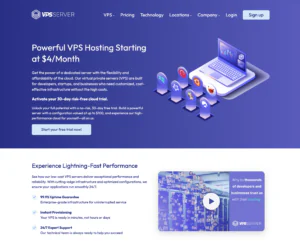
VPSServer.com can work well as a free VPS for Discord bot hosting when you want an environment you can fully configure—ideal for developers moving beyond hosted dashboards and into custom deployments. This setup suits hobbyists, student projects, and early-stage community bots that need persistent uptime without paying upfront. Because it’s VPS-based, you can run nearly any Discord bot stack (Node.js, Python, Java) and pair it with tools like PM2, Docker, or systemd for process management. The value is flexibility: you control dependencies, ports, and integrations, which is helpful for bots that rely on external APIs, webhooks, or scheduled tasks. The main trade-off is that free VPS resources can be limited, and maintaining stability, restarts, and security is largely on you.
Rating Overview
- Overall Score: 4.2
- Performance: 4.1
- Support: 4.0
- Security: 4.3
- Pricing: 4.8
- Ease of Use: 4.0
Detailed Analysis
Performance: A good fit for low-to-moderate activity bots handling standard commands, moderation events, and small queues. Free-tier CPU/RAM caps may become noticeable with heavy logging, large caches, or frequent API calls. For multi-server bots or high concurrency, you’ll want more resources quickly.
Support: Helpful for basic provisioning and connectivity issues, but not always fast for deep app-level debugging. You’ll get the best results by relying on logs, community guidance, and your framework’s documentation. Upgrading generally improves the support experience for time-sensitive issues.
Security: VPS-level isolation is a plus for keeping bot tokens and configs under your control. However, you must manage updates, SSH hygiene, firewall rules, and secret storage properly. When configured carefully, it’s a strong baseline for running a bot publicly.
Pricing: The free VPS angle is excellent for proving a bot concept without ongoing costs. Scaling is straightforward with clear upgrade tiers when you need better uptime confidence and headroom. The value stays strong as you transition from “free” to entry-level paid.
Ease of Use: Not as beginner-friendly as specialized Discord bot hosts, since you’ll set up runtimes, process managers, and restart policies yourself. Once you’ve templated your deploy steps, updates and redeployments become quick. Expect a small learning curve if you’re new to Linux environments.
Pros and Cons
Free VPS-style environment for persistent bot hosting
Full control over runtime, dependencies, and configurations
Works with common bot stacks and process managers
Easy to scale without migrating providers
Suitable for bots with custom integrations and cron tasks
Requires Linux/server management knowledge
Free resources may limit larger or busier bots
You must configure restarts, monitoring, and security
-
Top 10 WordPress Hosting 2026
-
Top 10 Website Builder 2026
-
Over 99% Uptime 2023
-
Top 25 WordPress Hosting 2023

This provider offers a specialized entry point into virtual private server hosting, specifically tailored for individuals and **hobbyist developers** looking to host Discord bots. It serves as an excellent, **cost-effective solution** for testing new bot features or running lightweight, non-critical instances without any upfront investment.
Rating Overview
- Overall Score: 3.5
- Pricing: 5.0
- Features: 3.0
- Performance: 2.5
- Support: 2.0
- User Friendly: 4.0
Focused on accessibility, this platform provides a zero-cost solution for hosting Discord bots. Its primary appeal lies in removing financial barriers, making it an **ideal learning environment** for those new to server management or bot development. While resources are inherently limited, it offers sufficient capacity for small-scale projects and personal use, emphasizing ease of setup for its target audience.
Detailed Analysis
Features: Users typically gain access to a basic Linux environment with pre-configured templates or simple interfaces designed for quick bot deployment. Resource allocations (CPU, RAM, storage) are minimal, suitable for low-demand applications. Advanced features like full root access or dedicated IPs are often not included, aligning with its free-tier model.
Reliability: As a free service, reliability comes with inherent limitations. Uptime guarantees are generally absent, and performance can be subject to shared resource constraints, leading to potential slowdowns or occasional downtime during peak usage. It’s not designed for mission-critical applications.
User-Friendly: The platform is engineered to be highly accessible for beginners, often featuring simplified dashboards and streamlined deployment processes specifically for Discord bots. While advanced users might find the control limited, it excels at providing a smooth initial experience for those taking their first steps in VPS hosting.
Support: Direct technical support for free services is typically limited, often relying on community forums, extensive documentation, or basic FAQs. Users should expect to troubleshoot many issues independently or leverage peer support rather than professional assistance.
Pricing: The standout feature is its completely free pricing model, making it an unrivaled option for developers on a tight budget or those simply exploring bot hosting. While free, it’s common to find upsell paths to paid tiers that offer more resources, better performance, and dedicated support.
- Completely free to use, eliminating cost barriers.
- Excellent for learning, testing, and development environments.
- Specialized setup for Discord bots simplifies deployment.
- No financial commitment required.
- Accessible entry point for new developers.
- Limited server resources (CPU, RAM, storage).
- No strong uptime or performance guarantees.
- Basic or community-only support options.
- Not suitable for production-level or critical applications.
-
Best Value for Money 2026
-
Editor's Choice 2026
-
Most Recommened PHP Hosting 2026
-
Top 5 UK Web Hosting 2026
-
Top 5 Europe Web Hosting 2026

IONOS offers cost-effective VPS hosting services focusing on providing robust performance at an affordable price. Their VPS plans come with features designed to support small to medium-sized businesses, including flexible configurations, high security, and a user-friendly interface. With entry-level plans starting at just $2 per month, IONOS is a great choice for those seeking budget-friendly VPS solutions without compromising on quality.
Rating Based on Expert Review:
- Overall Score: 4.7
- Features: 4.6
- Reliability: 4.8
- User-Friendly: 4.6
- Support: 4.7
- Pricing: 4.9
Detailed Analysis:
Features: IONOS provides features such as scalable resources, SSD storage, unlimited traffic, and dedicated resources for each plan. They also offer a free domain for the first year and SSL certificates.
Reliability: IONOS guarantees 99.99% uptime, ensuring your website remains accessible. Their data centers are located in multiple regions, enhancing reliability and performance.
User-Friendly: The IONOS control panel is intuitive and easy to navigate, making it simple for users to manage their VPS. They also offer a setup assistant to help users get started quickly.
Support: IONOS offers 24/7 customer support via phone, email, and live chat. Their knowledgeable support team can assist with any technical issues or questions.
Pricing: IONOS offers some of the most competitive pricing in the industry, with plans starting as low as $2 per month. This makes it accessible for individuals and small businesses looking for cost-effective VPS hosting.
Pros and Cons:
- Highly affordable pricing
- Free domain and SSL certificates
- Reliable uptime and performance
- Limited advanced features compared to higher-priced competitors
- Some plans have less storage and RAM
-
Best Overall Hosting 2026
-
Users Top Choice 2026
-
Most Recommended NodeJS 2026
-
Best AI App Builder 2026
-
Top 5 Europe Web Hosting 2026

Hostinger offers VPS Hosting tailored for Discord Bot applications, providing an affordable and efficient solution for developers. This service is designed for those who need a stable and scalable environment to host their Discord bots, whether for community engagement, gaming, or automated services.
Rating Based on Expert Review:
- Overall Score: 4.8
- Features: 4.9
- Reliability: 4.9
- User-Friendly: 4.8
- Support: 4.9
- Pricing: 4.7
Detailed Analysis:
Features: Hostinger’s VPS hosting includes SSD storage for faster data processing, dedicated IP addresses, and full root access for complete control over the hosting environment. The platform supports multiple programming languages and frameworks, making it ideal for custom bot development and deployment.
Reliability: With a strong emphasis on reliability, Hostinger guarantees high uptime, ensuring that Discord bots remain operational and responsive at all times. The VPS infrastructure is built with redundancy to minimize downtime and optimize performance.
User-Friendly: Despite offering sophisticated VPS capabilities, Hostinger maintains a user-friendly approach with an intuitive control panel. This simplifies the management of server resources, software installations, and security updates, making it accessible for users of all technical skill levels.
Support: Hostinger provides 24/7 customer support, staffed by knowledgeable technicians who can assist with VPS and Discord bot-specific inquiries. This support ensures that any technical challenges are swiftly addressed, maintaining smooth operations for your bots.
Pricing: Hostinger’s pricing for VPS Discord Bot Hosting is highly competitive, making it an attractive option for developers working with a limited budget. The plans are flexible, allowing users to scale up or down based on their needs, providing cost-effective solutions without sacrificing quality.
Pros and Cons:
- Cost-effective VPS solutions tailored for Discord bot hosting
- High-performance hardware and full customization capabilities
- Robust support system ensuring quick assistance and minimal bot downtime
- Resource scaling might incur additional costs, impacting budget considerations for some users
- The initial setup and configuration might require a basic understanding of server management, which could be a hurdle for beginners
-
Best Linux Hosting Provider 2026
-
Top 5 USA Web Hosting 2026
-
Top 10 Reseller Hosting 2026
-
Top 10 Windows Hosting 2026
-
Great Support 2026

InterServer offers a unique VPS hosting service emphasizing unlimited features and competitive pricing. Their VPS plans come with unlimited storage, data transfer, and email accounts, making them a standout choice for users needing extensive resources. InterServer’s VPS hosting starts at $6/month, providing excellent value for those requiring scalable and flexible solutions.
InterServer is known for its unlimited resources and competitive pricing, making it a great choice for users with high-demand VPS hosting needs.
Rating Based on Expert Review:
- Overall Score: 4.8
- Features: 4.7
- Reliability: 4.8
- User-Friendly: 4.7
- Support: 4.8
- Pricing: 4.9
Detailed Analysis:
Features: InterServer provides unlimited storage and data transfer, powerful configurations that include SSD caching servers, free migration, and a choice of operating systems.
Reliability: InterServer guarantees 99.9% uptime and operates its own data centers, ensuring consistent performance and reliability. They also provide weekly backups for added security.
User-Friendly: InterServer offers a straightforward control panel and provides detailed tutorials and support documentation, making it easy for users to manage their VPS.
Support: InterServer’s support team is available 24/7 via live chat, email, and phone. They are known for their prompt and helpful customer service.
Pricing: InterServer offers competitive pricing with their VPS plans starting at $6/month. They also provide a price lock guarantee, ensuring the price you sign up for will not increase.
Pros and Cons:
- Unlimited storage and data transfer
- Competitive pricing with a price lock guarantee
- Weekly backups and robust security features
- Limited data center locations
- Some advanced features may require additional setup
-
Best Web Hosting 2026
-
Top 5 Europe Web Hosting 2026
-
Top 5 Germany Web Hosting 2026
-
Top 10 Reseller Hosting 2026
-
Top 5 USA Web Hosting 2025

Hostarmada’s approach to Free VPS for Discord Bot setups is best suited for hobby developers, small communities, and early-stage projects that need dependable uptime without the complexity of enterprise infrastructure. While truly “free VPS” offerings typically come with resource limits, Hostarmada stands out by providing a stable environment that can handle lightweight bot workloads, scheduled tasks, and common runtimes with minimal fuss. It’s a practical choice if you want an easy-to-manage server for a Discord bot that doesn’t require heavy CPU bursts, large databases, or high-throughput networking, and it offers a balanced mix of performance, security, and usability for entry-level deployments.
Rating Overview
- Overall Score: 4.3
- Performance: 4.2
- Support: 4.5
- Security: 4.4
- Pricing: 4.2
- Ease of Use: 4.4
Detailed Analysis
Performance: Hostarmada handles small-to-medium Discord bots smoothly when resource usage is predictable. Latency and response times are generally stable for basic commands and event listeners. For compute-heavy features like media processing or large-scale logging, limits can become noticeable.
Support: Support is responsive and helpful for common deployment questions and server setup basics. Documentation and guidance are friendly for less experienced users. Advanced debugging for bot-specific code issues is still largely on the developer.
Security: Account protections and baseline server hardening are strong for the segment. It’s suitable for bots that manage tokens and environment variables securely if configured properly. As always, keeping dependencies updated and locking down SSH access remains essential.
Pricing: As a “free VPS” option, the value is attractive for testing and low-stakes production bots. However, scaling up often means moving to a paid tier with higher resources. It’s cost-effective, but not a long-term substitute for a full VPS if your bot grows quickly.
Ease of Use: Setup is straightforward, especially if you’re deploying with standard stacks like Node.js or Python. Basic management tasks are intuitive, and migrations to stronger plans are uncomplicated. Power users may want deeper system-level controls depending on the plan.
Pros and Cons
- Stable environment for lightweight Discord bot hosting
- Beginner-friendly setup and management tools
- Responsive support for deployment and server basics
- Solid security baseline for entry-level VPS usage
- Easy upgrade path when the bot needs more resources
- Limited headroom for compute-heavy bot features
- Scaling typically requires moving to a paid VPS tier
- Advanced bot debugging remains developer-managed
-
Best Dedicated Hosting Provider 2026
-
Best Windows Hosting Provider 2026
-
Top 5 France Web Hosting 2026
-
Top 10 Website Builder 2026
-
Top 10 Web Hosting 2026

Ultahost can be a sensible pick if you’re looking for a free VPS-style environment to run a Discord bot during development, staging, or early community rollout. It’s most suitable for developers who want traditional VPS control (runtime choice, custom libraries, background workers) without being locked into a bot-specific dashboard. In practice, “free” here is usually best approached as a starter route—such as a trial period or introductory credits—rather than a permanent, unlimited VPS. For small-to-medium bots that need consistent uptime, scheduled tasks, and API integrations, Ultahost offers a practical balance between ease of onboarding and the flexibility you’d expect from a VPS provider. Once your bot grows, scaling up resources tends to be more straightforward than migrating away from a specialized hosting platform.
Rating Overview
- Overall Score: 4.4
- Performance: 4.4
- Support: 4.5
- Security: 4.4
- Pricing: 4.2
- Ease of Use: 4.3
Detailed Analysis
Performance: Responsive enough for typical Discord bot workloads like command handling, moderation events, and webhooks.
Bots with heavy caching, frequent third-party API calls, or large queues may hit free-tier ceilings faster than expected.
Upgrading usually resolves bottlenecks quickly since you’re not changing platforms—just adding resources.
Support: Helpful for initial provisioning, connection issues, and basic deployment guidance when you’re getting the bot online.
More complex debugging (framework-specific errors, dependency conflicts) still requires your own logs and troubleshooting.
If you expect hands-on help during production incidents, paid tiers generally align better with that expectation.
Security: VPS isolation is a plus for keeping bot tokens, environment variables, and configs under your control.
You’ll still need to handle updates, SSH hygiene, firewall rules, and least-privilege access for long-term safety.
With sensible hardening, it’s a strong base for hosting a public bot without shared-app limitations.
Pricing: The free entry is best viewed as a low-risk launchpad for testing stability and performance.
Long-term costs can be reasonable, but the best value shows up when your bot needs predictable resources.
Budget-minded builders should compare renewal pricing against the bot’s growth curve before committing.
Ease of Use: Straightforward for developers comfortable with Linux, process managers, and environment variables.
You’ll likely set up auto-restarts, monitoring, and logs manually—more work than turnkey bot hosts.
Once templated, deployments and updates become repeatable and clean across versions.
Pros and Cons
VPS-level control for custom Discord bot stacks
Good fit for staging, testing, and early production bots
Easy to scale resources without migrating providers
Works well with common runtimes and process managers
Isolation helps keep bot tokens private and configurable
“Free” is often limited-time or credit-based
Requires you to manage security, restarts, and monitoring
Resource caps can restrict larger community bots
-
Best Reseller Hosting Provider 2026
-
Top 5 Australia Web Hosting 2026
-
Top 5 UK Web Hosting 2026
-
Top 10 Windows Hosting 2026
-
Top 10 VPS Hosting 2026

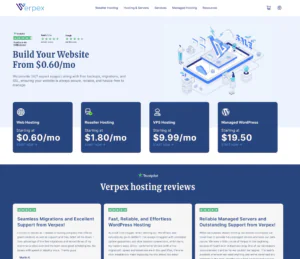
Verpex isn’t positioned as a “permanently free VPS” provider, but it can still work as a free-to-try VPS route for Discord bot hosting if you’re validating a bot before spending long-term. Their VPS lineup includes managed and unmanaged options (useful if you want either hands-off maintenance or full root control), and plans commonly feature NVMe storage-focused setups aimed at solid baseline responsiveness. For Discord bots, this model fits developers who can deploy their own runtime (Node.js/Python) and want to keep tokens, dependencies, and background processes fully under their control. If you’re treating “free” as a short testing window, Verpex’s money-back terms noted on their site can reduce risk, though you should verify VPS eligibility and timing for your specific plan.
Rating Overview
- Overall Score: 4.3
- Performance: 4.4
- Support: 4.3
- Security: 4.4
- Pricing: 4.0
- Ease of Use: 4.2
Detailed Analysis
Performance: Strong for typical Discord bot workloads like slash commands, moderation events, and webhook listeners, especially on NVMe-backed instances.
Free-style usage (trial/refund window) is fine for proving stability, but sustained high concurrency will need more dedicated resources.
Bots with heavy caching, audio workloads, or large queues should plan for scaling earlier rather than later.
Support: Managed VPS options can reduce operational friction when you’d rather focus on bot code than server upkeep.
Support is generally more useful for provisioning and platform issues than framework-level debugging.
If your bot is production-critical, prioritize plans/tiers that align with faster response expectations.
Security: VPS isolation gives you direct control over secrets, firewall rules, and SSH access—ideal for protecting bot tokens.
You still need to handle patching, key hygiene, and least-privilege practices to keep the instance hardened.
This DIY control is a benefit for developers, but not “managed security” by default.
Pricing: Verpex markets promotional entry pricing (including discounted first-month VPS pricing), but renewals can be higher.
The best value is using the low-risk start to confirm requirements, then right-sizing the VPS once usage patterns are clear.
Treat “free” as a trial strategy, not a long-term guarantee.
Ease of Use: Easy if you already deploy via SSH, Docker, PM2, or systemd; you can set reliable restarts and logs quickly.
Beginners may need time to configure ports, environment variables, and monitoring.
After initial setup, updates become repeatable and clean with a simple deploy checklist.
Pros and Cons
VPS-level control for custom Discord bot stacks
NVMe-oriented VPS options support snappy responses
Managed or unmanaged paths depending on skill level
Straightforward scaling without changing providers
Good fit for trialing a bot before committing long-term
Not a permanently free VPS offering
Renewals may be higher than intro pricing
Requires you to manage security, restarts, and monitoring
Why Trust Our Recommendations
At HostAdvice, trust and transparency are at the heart of what we do. We combine deep VPS expertise with real user feedback, ensuring our recommendations stand out for their quality and dependability. Our aim is to confidently guide you to the top VPS hosting solutions that best fit your needs. Further down the page, you can find a complete breakdown of our methods to rank VPS providers.
How Do We Test and Rank?
At HostAdvice, we have performed extensive research to determine the best VPS providers, their features, and what sets them apart. Our experts have tested hundreds of products in the past year. More importantly, we are dedicated to continually improving our review methodology. For instance, we have recently upgraded our uptime and speed monitoring processes. Each review process is based on real-time performance, meaning our experts purchase the plans just as a regular customer would. HostAdvice can compare the web host’s promise with measurable results. We give extra points for transparency – we like companies that stand true to their promises, regardless of what they are. Read more about our rating system here.
Best Free VPS for Discord Bots: Final Recommendations
Selecting the optimal VPS for hosting Discord bots requires careful consideration of your bot’s technical requirements alongside the features, performance capabilities, and support offered by various providers.
Each provider offers distinct strengths, ranging from cost-effectiveness to robust server performance and comprehensive support.
Assess your specific hosting needs, compare available options based on these criteria, and choose the VPS provider that best aligns with your objectives. This approach ensures that your Discord bot operates seamlessly and effectively on a reliable hosting platform.
Related Discord Bot Hosting Recommendations
- Discord Bot Hosting Services by Reddit
- Free Discord Bot Hosting
- Discord Bot VPS
- Cheap Discord Bot Hosting
- Best Managed VPS Hosting
- Best Windows VPS
- Best Linux VPS
- Best Cloud VPS Hosting
- Best VPS For Gaming